 Cued
Cued
How to prepare for a client call in 10 minutes
By Harshit Maurya, maker of Cued · Updated 16 October 2026
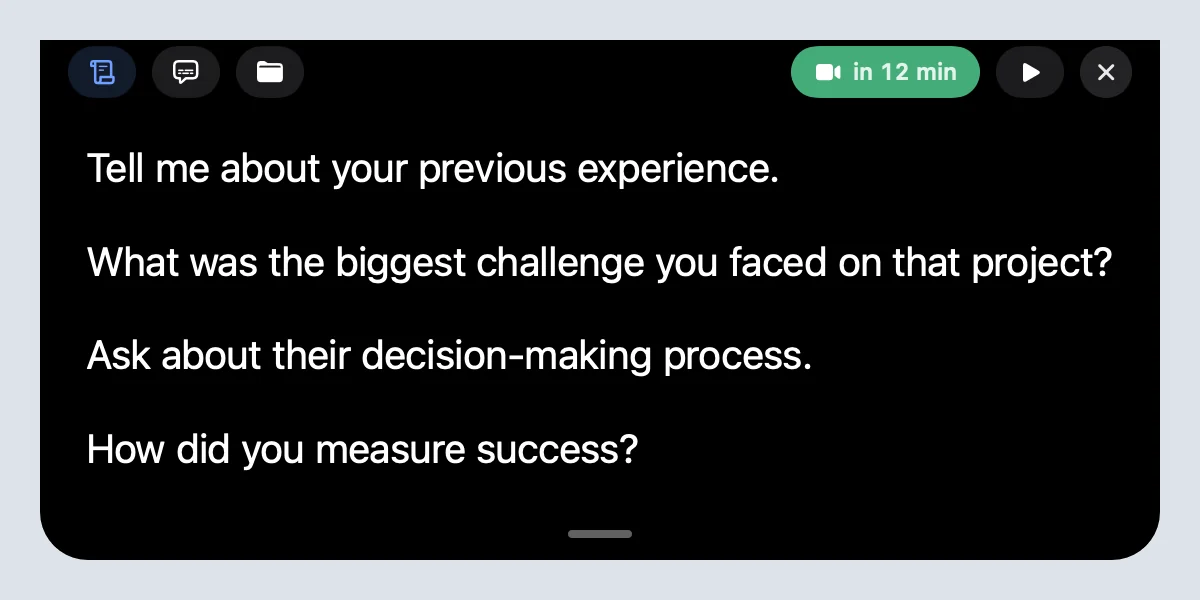
To prepare for a client call, re-read what you agreed last time (2 minutes), write the goal of this call (1 minute), write three talking points or questions (3 minutes), gather the files you may need to show (3 minutes), and open the meeting link a minute early. Keep your talking points where you can glance at them without looking away. Cued puts the talking points and the files in the MacBook notch, right under the camera, 30 minutes before the call, with a Join button.
The 10-minute checklist
Ten minutes is enough for most client calls if you spend them in this order. Each step has a time box so you stop polishing and start the call ready.
- Re-read the last recap (2 minutes). What did you promise, what did they ask for, what is still open? If there is no recap, search the last call for the client's name.
- Write the goal (1 minute). One sentence: what has to be true when the call ends? A decision, a yes, a date.
- Write three talking points (3 minutes). Short prompts, not a script: the question you must ask, the number you must mention, the next step you want.
- Gather the files (3 minutes). The brief, the latest draft, the proposal, the link to the shared folder. Put them where you can open them in one click.
- Join early (1 minute). Open the link a minute before, check the camera and microphone, close anything you would not want on a shared screen.
What to prepare depends on the kind of call
| Call | Re-read | The goal is usually | Have open |
|---|---|---|---|
| First call with a new client | Their website, the enquiry, anything they sent | Understand the problem and agree a next step | Your portfolio or case studies, your rates |
| Project check-in | Last recap and open tasks | Decisions on open questions, next deadline | The latest draft or work in progress |
| Feedback or review | The brief and what you changed since last time | Clear, prioritised changes | The work, the brief, the change list |
| Proposal or pricing | Their goals and budget hints from earlier calls | A yes, or the objection behind a no | The proposal and the scope |
Ten discovery questions to copy
On a first or discovery call, good questions matter more than a good pitch. Copy these, then keep the three that fit this client. Open questions work better than yes-or-no ones, and the follow-up "Can you tell me more?" is often the most useful line you have.
- What made you reach out now?
- What are you trying to achieve, and how will you know it worked?
- What have you tried so far, and what happened?
- What happens if you don't solve this in the next three months?
- Who else is involved in this decision, and what do they care about?
- What does your timeline look like? Is there a fixed date behind it?
- Do you have a budget range in mind for this?
- What would make this project a failure for you?
- How do you like to work with outside people: updates, check-ins, tools?
- What is the best next step from here?
Put the three you chose near the camera, not on paper. Then listen more than you talk, and write down the client's own words for their problem: you will use them in the proposal.
How to prepare for a sales call in 15 minutes
A sales call needs the same checklist plus a little research and a plan for objections. Fifteen minutes is enough:
- Research the company (4 minutes). Their website, what they sell, recent news. Note one thing you can mention that shows you looked.
- Research the person (3 minutes). Their role and what they are likely measured on. Who else might be in the call?
- Set the goal and the next step (2 minutes). Write the one outcome you want, such as a second meeting, a trial or a decision date.
- Pick three questions (3 minutes). From the discovery list above, the three that test whether this is a real fit.
- Prepare two objections (2 minutes). The two things most likely to stop a yes, often price and timing, and a short, honest answer to each.
- Open the files and join (1 minute). Pricing, a case study, the link. Join a minute early.
Don't write a full script. Short prompts sound like you; a script makes you read. Our guide to sales call scripts on Zoom shows how to keep prompts in view without sounding scripted.
Where to keep your notes during the call
Notes on paper or in another window pull your eyes away from the camera, and the client sees you looking down. Put them as close to the lens as you can. On a MacBook that is the notch: Cued shows your talking points there, scrolling at your pace, and hides them from screen sharing.
How Cued prepares the call with you
- Every calendar meeting has a workspace. Open it from Home's Up next card and type your talking points; a blank line starts a new one.
- Drop the client's files and links into the same meeting. Links from the invite are already there.
- Short on time? Press Prepare me: Cued reads the websites in the invite and writes a research prompt about the people, the company, good questions and talking points, to use with the AI assistant you prefer.
- Thirty minutes before the call the notch is ready with your points and files, and about two minutes before, a reminder with a Join button.
- During the call you glance up, not down. Afterwards Cued records, transcribes and summarises it on your Mac, so the next preparation starts from a real recap.
Cued needs a Mac with Apple silicon and macOS 15 or later, and is designed for MacBooks with a notch.
Questions
How long should I spend preparing for a client call?
Ten minutes is enough for most calls: 2 minutes on the last recap, 1 on the goal, 3 on talking points, 3 on files and 1 to join early. A first sales call deserves about 15.
What questions should I ask on a discovery call?
Open questions about why now, the goal, what they tried, who decides, timeline and budget, and the next step. Pick three from the list on this page and keep them near the camera.
What is a good first question in a sales call?
"What made you reach out now?" It is open, it is about them, and the answer tells you how urgent the problem is.
How do I listen and take notes during a sales call?
Write only numbers, dates and the client's own words, and let a recording catch the rest. With consent, a tool that transcribes the call lets you listen instead of typing.
Should I write a full script for a sales or client call?
No. Short prompts sound natural; a full script makes you read. Keep three to five prompts near the camera.
Does the notch show my notes to the client when I share my screen?
No. The notch is excluded from screen capture, so Zoom, Meet and Teams do not see it.
How much does Cued cost?
Cued is a one-time purchase with no subscription: $9 for the first 50 founding members, then $29 with a year of updates. Download it from getcued.pro and pay inside the app after a quick setup.
Try Cued on your next call. Your script in the notch, your call recorded and summarised on your Mac.
Download for MacSources
Related guides
- How to keep track of client calls, files and what you promised
- How to use a sales call script on Zoom without sounding scripted
- How to read notes on a video call without looking away
- How to have the right file ready during a client call
- How to handle back-to-back meetings without losing context
- Best meeting prep tools for Mac in 2026