 Cued
Cued
How to use a sales call script on Zoom without sounding scripted
By Harshit Maurya, maker of Cued · Updated 21 October 2026
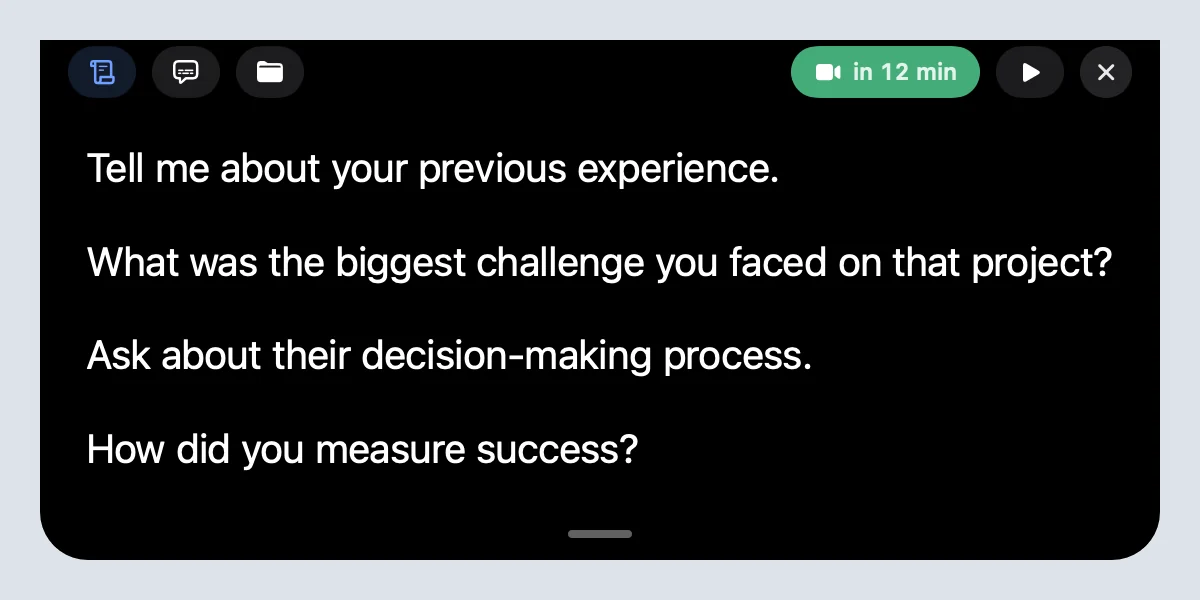
To use a sales script on a video call without sounding scripted, turn it into short prompts, one per stage of the call, and keep them right under the camera so a glance looks like eye contact. Don't read full sentences: write the question or the point in a few words and say it your own way. Cued, a Mac app that handles your whole online meeting, shows your prompts in the MacBook notch, hidden from screen sharing, lets you step through them with a shortcut, and records and summarises the call on your Mac so the follow-up is ready when you hang up.
Why do scripts sound scripted on video?
Two reasons. First, written sentences are not how people talk. Read word for word, they come out flat and too long, and buyers hear it within seconds. Second, on video you can see where someone is looking. If your script is on paper or at the bottom of the screen, every glance down breaks eye contact, and a buyer reads that as reading.
The answer is not to drop the script. It is to keep the structure and lose the sentences: a few words per stage, placed where your eyes already are.
How do you turn a script into prompts?
- Opening. One line: why you are talking and how long it will take. 'Agenda: your goals, quick demo, next step. 30 min OK?'
- Discovery. Your three must-ask questions, a few words each.
- Pitch. The one result that matters to this buyer, and the proof: a number or a customer.
- Objections. A word for each common one (price, timing, competitor) and your answer in five words.
- Close. The next step you want, with a date.
Test it: if a prompt takes longer than a glance to read, it is too long. Cut it until it fits on one line.
Which discovery questions should be on your prompts?
Open questions that make the buyer explain their situation in their own words. Pick the three that matter most for what you sell; you will not get through ten.
- 'What made you take this call now?' (the trigger)
- 'How do you handle this today?' (the current way, and who uses it)
- 'What happens if nothing changes this quarter?' (the cost of waiting)
- 'Who else needs to be happy with the decision?' (the people involved)
- 'What would make this a clear yes for you?' (their criteria)
As prompts, these become: 'Why now?', 'Today's way?', 'Cost of waiting?', 'Who else?', 'Clear yes =?'. You know the full question; the prompt just reminds you to ask it.
How do you prompt objection answers?
| Objection | Prompt | What you say, in your words |
|---|---|---|
| 'It's too expensive.' | Price → cost of problem | Ask what the problem costs them now, then compare. |
| 'Not the right time.' | Timing → what changes? | Ask what would make it the right time, and agree a date to check in. |
| 'We use a competitor.' | Competitor → one gap | Ask what they wish it did better; show only that. |
| 'I need to ask my boss.' | Boss → join next call? | Offer a short call with both of them, and send a one-page summary. |
Where should the prompts go?
Sales coaches suggest looking at the camera for most of the call and glancing at notes briefly. Notes at the bottom of the screen or on paper make you look down. In the MacBook notch, a prompt is a few millimetres from the lens, so a glance looks like you are looking at the buyer.
- Write the prompts in Cued. Open the meeting in Cued and type one prompt per line in the Teleprompter tab.
- Step through them. Use ⌃⌥↓ and ⌃⌥↑ to move between prompts while the buyer talks, or let them scroll at one of three speeds. Point at the notch to pause.
- Attach what you will show. Attach the case study, pricing sheet or demo link to a prompt, so it is one click away when you reach that part of the call.
- Demo without showing your script. The notch stays hidden when you share your screen for the demo, even if you share the whole screen.
What happens after the call?
Cued records the call through your Mac, with no bot joining, and when you hang up it writes a summary, the action items and a draft follow-up email from what was actually said. You review the email and send it yourself from Gmail or Mail. Before the next call with the same buyer, ⌘K finds what they said about budget or timing last time.
Whatever tool you use, tell people you are recording and ask for their consent. Many places require everyone's permission by law. Cued needs a Mac with Apple silicon and macOS 15 or later, and is designed for MacBooks with a notch.
Questions
Should I read a sales script word for word?
No. Short prompts let you sound natural and listen; reading full sentences shows, especially on video.
How many discovery questions should I ask?
Plan three that matter most and ask more only if there is time. A conversation beats a questionnaire.
Where should I put my script on a Zoom call?
As close to the camera as possible. On a MacBook, Cued puts it in the notch, right under the lens.
Can the buyer see my script when I share my screen?
Not if it is in Cued's notch, which is left out of screen capture.
How much does Cued cost?
Cued is a one-time purchase with no subscription: $9 for the first 50 founding members, then $29 with a year of updates. Download it from getcued.pro and pay inside the app after a quick setup.
Try Cued on your next call. Your script in the notch, your call recorded and summarised on your Mac.
Download for Mac