 Cued
Cued
GDPR, HIPAA and AI meeting notes: why on-device changes the question
By Harshit Maurya, maker of Cued · Updated 16 October 2026
Under GDPR, a cloud notetaker that handles your calls is usually your processor and needs a written contract with you. Under HIPAA, a vendor that creates, receives, maintains or transmits patient information for you is a business associate and needs a business associate agreement (BAA). A notetaker that runs only on your computer and never receives the data changes that vendor question, but not your own duties: a lawful basis, telling people, security, retention and deletion. Cued is not HIPAA- or GDPR-certified and signs no BAA; recordings stay on your Mac.
What does GDPR ask of an AI notetaker?
GDPR splits the work into roles. The European Data Protection Board puts it simply: the controller decides the purposes and means of processing, and a processor processes personal data on the controller's behalf. If you record a client call, you are the controller. The UK regulator, the ICO, gives a cloud service that stores and analyses an organisation's data as an example of a processor.
- A contract with any processor. The EDPB says processing by a processor must be governed by a contract or other legal act; the ICO says a written contract is needed whenever a controller uses a processor.
- Sufficient guarantees. The ICO says you must check that a processor can give sufficient guarantees, and you stay responsible whatever the contract says.
- A lawful basis. Under the UK GDPR, consent is one of seven lawful bases, and the ICO says no single basis is better than the others.
- Telling people. The right to be informed means people should know their call is being recorded and why.
- Not keeping it forever. The storage limitation principle says keep personal data no longer than necessary. The ICO recommends a retention policy, and erasing or anonymising data you no longer need.
What does HIPAA ask of an AI notetaker?
HIPAA applies to covered entities, such as health care providers, and to their business associates. The regulation defines a business associate as someone who creates, receives, maintains or transmits protected health information on behalf of a covered entity, and that includes subcontractors. A covered entity may let a business associate handle electronic health information only after getting satisfactory assurances, in writing, that it will safeguard it: that is the BAA.
The Security Rule then applies to the health information you hold yourself. A risk analysis of the threats to that information is required, and encryption is an addressable safeguard: you assess whether it is reasonable and appropriate, and if you don't use it, document why and use an equivalent measure. A laptop holding session recordings belongs in that analysis.
Cloud notetaker or on-device notetaker: what changes?
| Question | Cloud notetaker | On-device notetaker such as Cued |
|---|---|---|
| Who holds the recording? | The vendor's servers, and often its subprocessors | Your computer: Cued keeps recordings in its folder on your Mac |
| GDPR: is the vendor your processor? | Usually yes, so you need a contract | A vendor that never receives the data has nothing to process for you; confirm with your data protection officer |
| HIPAA: is a BAA needed? | Yes, if it creates, receives, maintains or transmits health information for you | The definition turns on handling the data; Cued doesn't receive it and signs no BAA. Confirm with your compliance officer |
| Who secures the data? | The vendor and you | You: your Mac's login, encryption and backups |
| Who tells participants and gets consent? | You | You |
| Who handles retention and deletion? | The vendor's policy plus yours | You, inside the app |
| Price model | Varies by vendor | Cued: a one-time payment, no subscription |
The short version: on-device processing removes a third party from the picture, which is why people in regulated work look for it. It does not make anything compliant by itself. Everything the law asks of you as the controller or covered entity still applies.
What you still have to do with on-device meeting notes
- Decide your lawful basis and tell people. Say at the start of the call that you record, why, and how long you keep it, and record their answer. Update your privacy notice. In the US, the Reporters Committee for Freedom of the Press notes that about 11 states need everyone's consent to record.
- Secure the Mac. Use a strong login password. Apple says Macs with Apple silicon already encrypt their data, and FileVault adds a layer that stops anyone decrypting it without your login password. Turn it on in System Settings > Privacy & Security > FileVault.
- Include the laptop in your risk analysis. For HIPAA, a risk analysis is required. List the recordings, transcripts and summaries on the Mac and how you protect them.
- Set a retention period. Write down how long you keep recordings and summaries. In Cued you can delete only the video and keep the summary, or delete the recording with its transcript, summary and files. They go to the Mac's Bin, and are gone once you empty it.
- Handle access and erasure requests. If someone asks what you hold about them, press ⌘K in Cued and search their name across transcripts, summaries and files.
- Check your backups. A backup of your Mac may contain copies of recordings. Include backups in your retention plan.
Is Cued HIPAA or GDPR compliant?
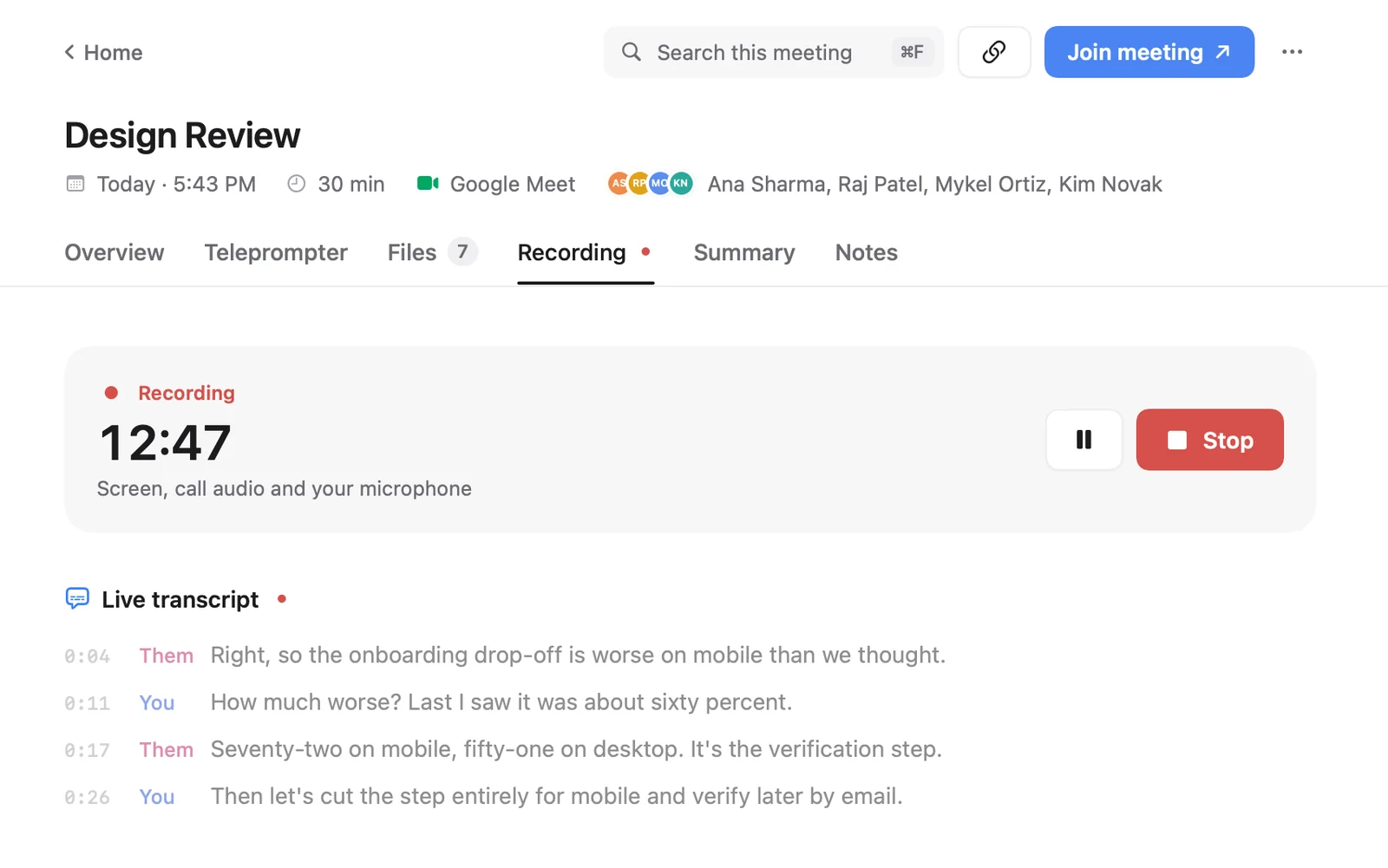
Cued is not HIPAA- or GDPR-certified, has no SOC 2 report, and does not sign BAAs. Here is what it does, so you or your adviser can judge whether it fits your obligations. Cued records Zoom, Google Meet, Teams, FaceTime, Webex and Slack calls through your Mac, with no bot. Recording, transcription and summaries run on the Mac with on-device models and work offline. Recordings stay in Cued's folder on your Mac and nothing is uploaded. Calendar sync, Google Meet links and Prepare me need an internet connection.
Since no bot joins, nobody is notified automatically: telling participants is your job. Transcripts are in English and are good, not perfect. Cued is a one-time payment, no subscription: $9 for the first 50 founding members, then $29 with a year of updates. Cued needs a Mac with Apple silicon and macOS 15 or later, and is designed for MacBooks with a notch. This isn't legal advice. Check the rules that apply to you with your regulator, your professional body or a lawyer.
Questions
Is there a GDPR-compliant AI meeting notetaker?
Compliance depends on how you use a tool, not only on the tool. With a cloud notetaker you need a processor contract and a lawful basis. With an on-device one like Cued, the call stays on your computer, but you still need a lawful basis, a notice, security and a retention policy.
Is there an AI note-taking tool for therapists that doesn't upload sessions?
On-device tools such as Cued, which records and transcribes on the Mac, don't upload anything. Cued is not HIPAA-certified and signs no BAA, so check with your compliance adviser whether it fits your practice before using it with clients.
Does an on-device notetaker need a BAA?
HIPAA's definition of a business associate turns on creating, receiving, maintaining or transmitting health information for you. A vendor that never receives it is in a different position from a cloud service, but whether you need a BAA is for you and your compliance officer to decide.
Do I need consent to record a call under GDPR?
Not always consent specifically: the UK GDPR lists seven lawful bases, and consent is one. You must still tell people about the recording, and recording laws in some places require everyone's consent.
Will Cued sign a BAA?
No. Cued signs no BAA and has no compliance certification. Recordings, transcripts and summaries stay on your Mac.
How much does Cued cost?
Cued is a one-time payment, no subscription: $9 for the first 50 founding members, then $29 with a year of updates.
Try Cued on your next call. Your script in the notch, your call recorded and summarised on your Mac.
Download for MacSources
- Who is data controller and who is data processor? EDPB FAQ
- Guidelines 07/2020 on the concepts of controller and processor in the GDPR, EDPB
- When is a contract needed and why is it important? ICO
- Responsibilities and liabilities for controllers using a processor, ICO
- A guide to lawful basis, ICO
- Right to be informed, ICO
- Principle (e): storage limitation, ICO
- 45 CFR 160.103, definition of business associate, eCFR
- 45 CFR 164.308, administrative safeguards (risk analysis, business associate contracts), eCFR
- 45 CFR 164.306, security standards (addressable specifications), eCFR
- 45 CFR 164.312, technical safeguards (encryption), eCFR
- Protect data on your Mac with FileVault, Apple Support
- Introduction to the Reporter's Recording Guide, RCFP
Related guides
- The best private meeting notes apps for confidential calls
- AI notetakers for lawyers, accountants and financial advisers: what to check first
- Is it safe to use an AI notetaker on confidential client calls?
- Offline meeting transcription on a Mac
- AI note taker without a bot: how it works and which apps do it