 Cued
Cued
Offline meeting transcription on a Mac
By Harshit Maurya, maker of Cued · Updated 16 October 2026
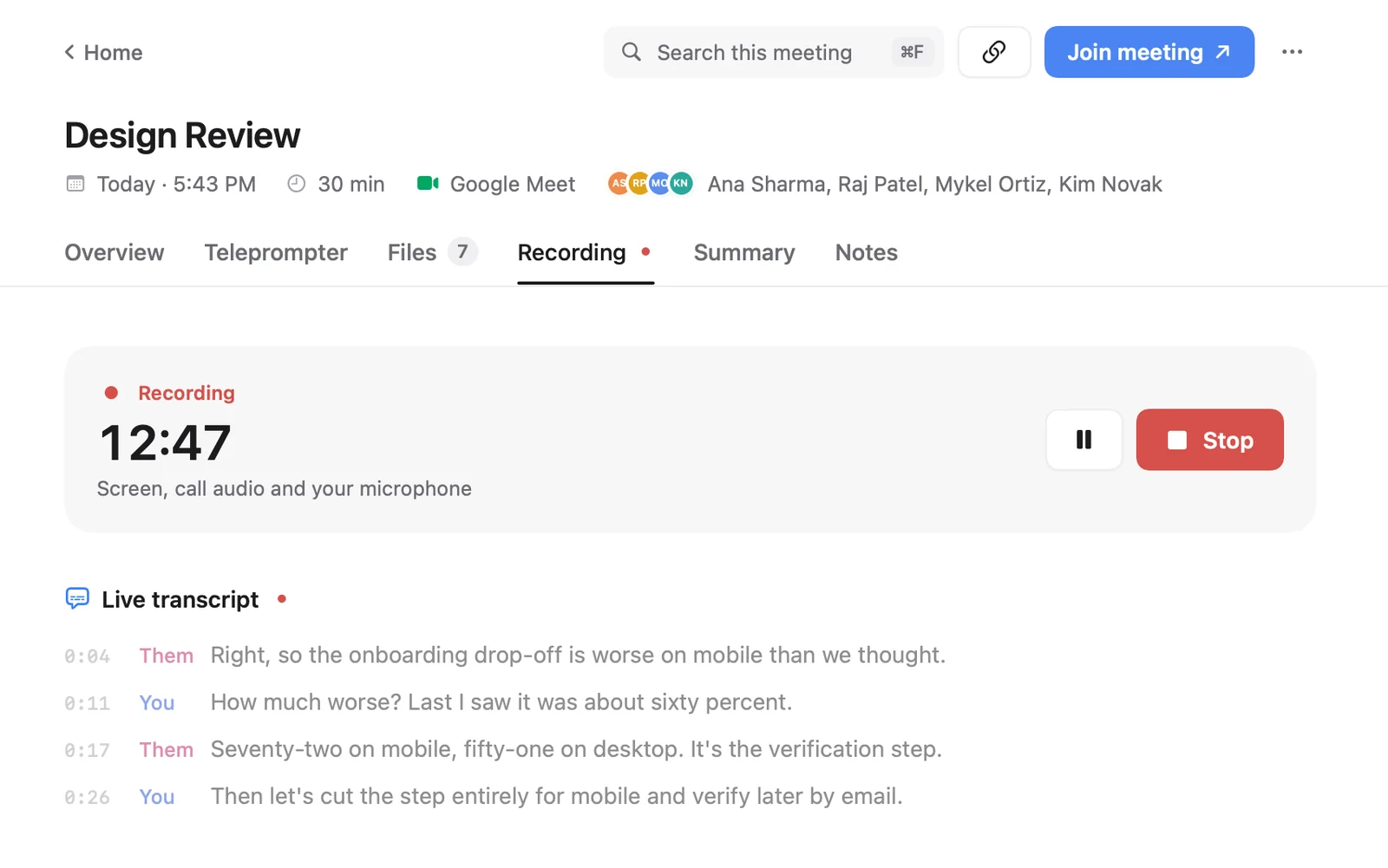
To transcribe meetings without uploading them, use an app that runs both the speech-to-text model and the summary model on your Mac, then prove it by turning off Wi-Fi and checking it still works. Cued does this for calls: it records both sides, transcribes them live and writes the summary with on-device models, and the audio, transcript and summary stay on your Mac. There is no Cued server.
Cloud versus on-device transcription
| Cloud services | On-device (Cued) | |
|---|---|---|
| Where the audio goes | Uploaded to the company's servers | Stays on your Mac |
| Bot in the call | Often, unless you use their desktop app | Never |
| Needs an internet connection to transcribe | Yes | No; the models run on the Mac |
| Where the summary is written | On the company's servers, often by another AI provider | On your Mac |
| Cost | Usually a monthly subscription | One-time purchase, no subscription |
Transcription offline is not the same as summaries offline
A meeting app runs at least two models: one turns speech into text, another writes the summary and action items. Many apps do the first on your Mac and send the transcript to a cloud AI for the second. MacWhisper, for example, transcribes with local models but lets you connect your own keys for providers such as OpenAI or Anthropic, or local models through Ollama or LM Studio. Meetily says it can run fully offline by using local Whisper models for transcription and a local model through Ollama for summaries. So when an app says "on-device", check which parts it means. The test below catches both.
How to test that an app really works offline
You can run this in about 15 minutes with any meeting app, including Cued. You need one test call with a friend or a second device, and their consent to record it.
- Set up while online. Install the app, grant its permissions, and let it finish any first-time model downloads. Do one short test recording with the internet on, so you know it works.
- Start a test call and record it. Join a short call on Zoom, Meet or Teams and let the app record. Talk for a minute, say a few numbers and a name you can check later.
- Cut the connection near the end. Turn Wi-Fi off (System Settings → Wi-Fi, or the Wi-Fi menu in the menu bar) and unplug any Ethernet cable. The call will drop; that is expected. Open a website to confirm you are really offline.
- End the recording offline. Hang up, or stop the recording by hand. Stay offline.
- Check the results. With Wi-Fi still off, open the recording. Is the transcript there, including the minute before the call dropped? Is there a summary and action items? Can you search the words you said? If the summary waits for a connection, it is made in the cloud.
- Watch the network (optional). For a stricter check, install a firewall that shows outgoing connections, such as LuLu, which is free and open source, and watch what the app contacts while it records and summarises.
Two things will need the internet in any app: the call itself, and features that are online by nature. In Cued that means the calendar, new Google Meet links and the Prepare me brief. Recording, transcription and summaries work offline, and nothing is uploaded.
What on-device transcription needs
- A Mac with Apple silicon. Speech models run on the chip; Cued needs Apple silicon and macOS 15 or later.
- Free disk space for the models, downloaded once. Cued downloads what it needs in the background the first time, never during a call.
- Enough memory for the model size. Larger models are usually more accurate but need more memory, which is why apps pick different models for different devices: Aiko, for example, uses a larger Whisper model on the Mac than on iPhone.
- Clear audio. Quiet, overlapping or noisy speech causes mistakes on any engine, cloud or local. A headset helps more than a bigger model.
Other on-device transcription apps for Mac
| App | What it does | Records calls without a bot | Summaries | Price |
|---|---|---|---|---|
| Cued | Prep, notch teleprompter, recording, live transcript, summary, follow-up email, search | Yes: Zoom, Meet, Teams, FaceTime, Webex, Slack | On your Mac | $9 founding, then $29; one-time, no subscription |
| MacWhisper | Transcribes files and dictation with local models; records meetings | Yes: Zoom, Teams, Webex, Skype, Chime, Discord and more | Through your own AI provider keys, or local models via Ollama or LM Studio | Free; Pro €64, pay once |
| Aiko | Transcribes recordings and audio or video files on the device | No; no live transcription, record first then import | No | $24 one-time; Mac, iPhone, Vision Pro |
| Meetily | Records, transcribes and summarises meetings; open-source core (MIT) | Yes, by capturing the computer's audio; Mac and Windows | Local models via Ollama | Community edition free; Pro from $10 per user a month |
| BB Recorder | Records video and audio of calls locally; can also add a bot | Yes: Zoom, Meet, Teams | Says it runs 100% on the device | Free, no account; Mac, Windows, iPhone, Android |
If you only need text from recordings you already have, a file transcriber such as Aiko or MacWhisper is enough. If you want the whole call handled, choose a meeting app. Cued is the one built around the whole meeting: preparation, a notch teleprompter during the call, automatic recording, then the summary, follow-up email and search across every call.
Cued needs a Mac with Apple silicon and macOS 15 or later, and is designed for MacBooks with a notch.
Questions
Does on-device transcription work without internet?
Yes, once the models are on your Mac. Your video call itself still needs a connection, of course. Use the Wi-Fi test above to check any app.
Is on-device transcription as accurate as the cloud?
It depends on the model and the audio more than on where it runs. Quiet, overlapping or noisy speech causes mistakes everywhere. Cued's transcripts are good, not perfect.
Do I need Apple silicon?
For Cued, yes: it needs a Mac with Apple silicon and macOS 15 or later. Check each app's requirements; larger models need more memory.
Is there an AI note taker without a subscription?
Yes. Cued is a one-time purchase ($9 for the first 50 founding members, then $29). MacWhisper Pro and Aiko are also pay-once, and BB Recorder and Meetily's Community edition are free.
Can I search my transcripts?
Yes. In Cued, ⌘K searches every transcript, summary, file and on-screen text from your calls, on the Mac.
How much does Cued cost?
Cued is a one-time purchase: $9 for the first 50 founding members, then $29 with a year of updates. Download it from getcued.pro and pay inside the app after a quick setup.
Try Cued on your next call. Your script in the notch, your call recorded and summarised on your Mac.
Download for Mac