 Cued
Cued
A Granola AI alternative with on-device transcription
By Harshit Maurya, maker of Cued · Updated 16 October 2026
Cued is a Granola AI alternative for Mac if you want the same no-bot AI meeting notes with transcription that stays on your device. Like Granola, nothing joins the call; unlike Granola, which sends audio to cloud transcription providers and doesn't keep it, Cued transcribes and summarises on your Mac and keeps the recording there. It is a one-time purchase rather than a subscription, and it adds a teleprompter in the notch for what you want to say.
Why people look for a Granola AI alternative
- The audio leaves your computer. Granola's help says audio goes from your microphone and system audio to its transcription provider, and its security page names providers like Deepgram and Assembly, with OpenAI and Anthropic writing the summaries.
- There is no recording to go back to. Granola says it does not record or save audio or video at any point; only the transcript and your notes are kept.
- Training on your data. Granola's security page says it trains on anonymised data to improve Granola unless you opt out in Settings; Enterprise has training off by default.
- A Google or Microsoft account. Granola's help lists Google, Microsoft and enterprise SSO as the ways to sign in, and Gmail users may have to join a waitlist.
- The free plan's 30-day history, and a subscription after that: Business is $14 per user a month.
Cued and Granola AI compared
| Cued | Granola AI | |
|---|---|---|
| Joins the call as a bot | No | No |
| Where audio is transcribed | On your Mac | Cloud transcription providers |
| Where summaries are written | On your Mac | Cloud AI providers (it names OpenAI and Anthropic) |
| Where notes are stored | On your Mac | In your Granola account, on AWS in the US |
| Saves the recording | Yes, screen and audio, each transcript line linked to its moment | No; audio is deleted after transcription |
| Trains AI on your data | No; nothing is uploaded | On anonymised data unless you opt out |
| Account needed | No Cued account. It asks you to connect Google for calendar and Meet links, and you can continue without it | Yes: Google, Microsoft or enterprise SSO |
| Works offline | Yes: recording, transcripts and summaries | Not stated; transcription is done by a cloud provider |
| Free plan | No | Yes, with 30 days of meeting history |
| Price | One-time: $9 for the first 50 founding members, then $29 with a year of updates | Business $14 per user a month; Enterprise $35 |
| Cost over 2 years | $29 or $29, once | $336 on Business |
| Teleprompter for what you want to say | Yes, in the notch | No |
| Platforms | Mac (Apple silicon, macOS 15+) | Mac, Windows, iPhone, Android, Apple Watch; web to view notes |
When Granola AI is the better fit
Granola's notepad blends your own typed notes with the transcript, and it supports sharing with a team. It runs on Windows and phones, and has a free plan. If you take notes as you go and work across devices, it does that well, and its security page says it holds a SOC 2 Type 2 report.
When Cued is the better fit
- You want the transcript and summary to be made on your Mac, not in the cloud, and to work offline.
- You want the video of the call, with each transcript line linked to its moment.
- You want to pay once instead of a monthly subscription.
- You want your talking points under the camera while you speak.
How to move from Granola AI to Cued
Cued cannot import Granola notes or transcripts, and Granola has no audio to bring across. Your Granola history stays in Granola.
- Keep what you need from Granola. Copy the notes you will want later, especially on the free plan, where history is limited to 30 days.
- Install Cued and allow its permissions. Screen Recording and Microphone. Connect Google Calendar or your Mac's Calendar to see your calls.
- Write your talking points. Each meeting has a Teleprompter tab; the points show in the notch during the call.
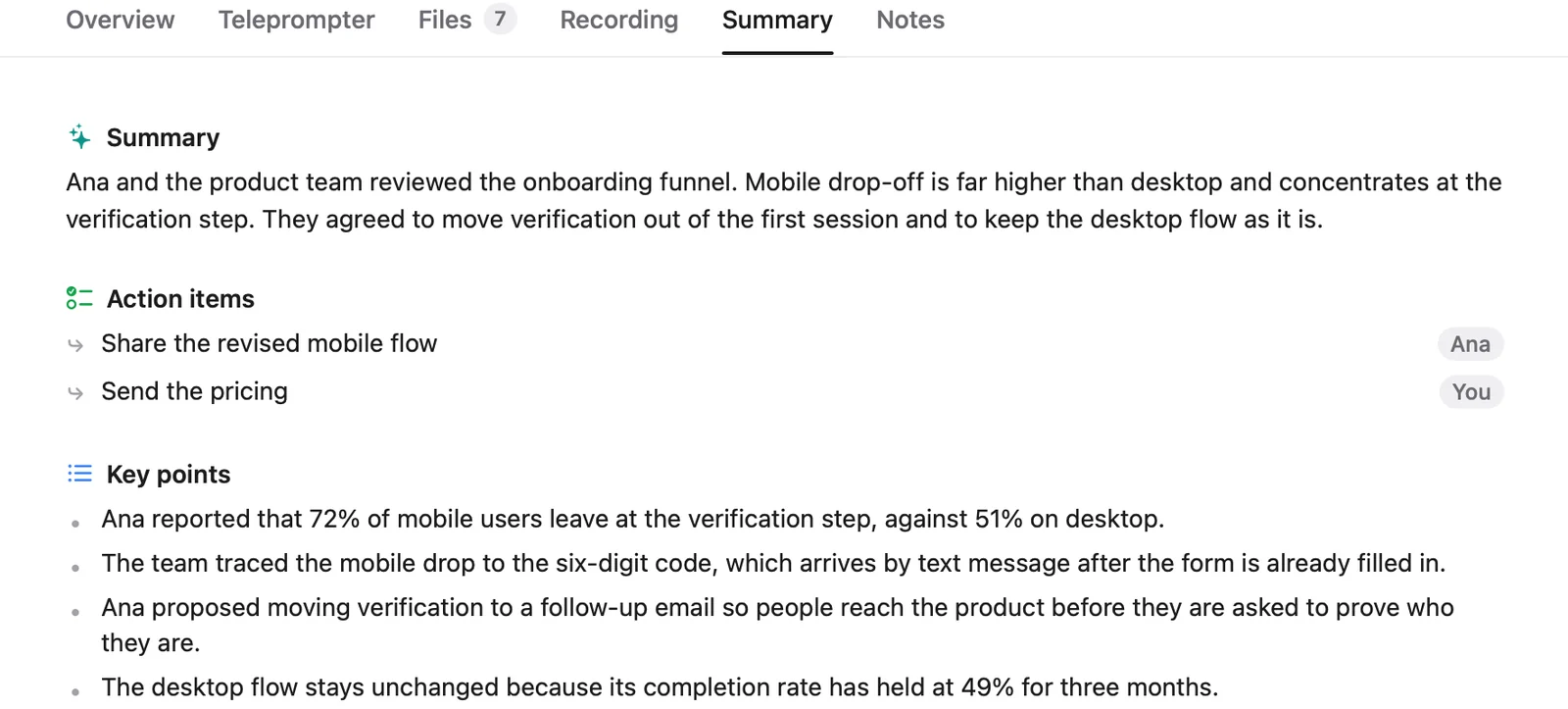
- Take your next call. Cued records when the call starts and writes the summary on your Mac after you hang up.
Other Granola AI alternatives
- Anarlog (Mac, formerly Hyprnote/Char): the closest local match, an open-source AI notepad with no bot and on-device transcription on the free plan; Pro $14 a month.
- MacWhisper (Mac): records meetings with no bots, transcribes on your Mac with local models; free version, Pro €64 once.
- Meetily: free, open-source (MIT) local meeting transcription for Mac and Windows.
- Jamie: bot-free on Mac and Windows, with data processed and stored in the EEA, Switzerland and the UK; free plan with 10 notes a month.
- Fathom: bot or bot-free capture, now on Mac; free plan, Premium $20 a month or $16 yearly.
- Otter: a desktop app that records without a bot, though its Notetaker can also join calls; free plan with 300 minutes a month.
Questions
Does Granola AI save audio?
No. Granola says it does not record or save audio or video at any point during the call; only the transcript and your notes are kept.
Does Granola AI work offline?
Granola's help doesn't say it does, and its audio goes to a cloud transcription provider. Cued records, transcribes and summarises offline on your Mac.
Does Granola train AI on my notes?
Granola's security page says it trains on anonymised data to improve Granola, with an opt-out in Settings, and does not let OpenAI or Anthropic train on your data.
Is there a Granola alternative without a subscription?
Yes. Cued is a one-time purchase: $9 for the first 50 founding members, then $29 with a year of updates. MacWhisper Pro is also pay-once, and Anarlog and Meetily have free local options.
Does Cued work like Granola's notepad?
Cued has a Notes tab for each meeting, and its focus is the teleprompter, the recording and the summary.
Can I import my Granola notes?
No. Cued records new calls; it can't import Granola notes or transcripts.
Is Cued available on Windows?
No. Cued is a Mac app for Apple silicon and macOS 15 or later.
Try Cued on your next call. Your script in the notch, your call recorded and summarised on your Mac.
Download for MacSources
Related guides
- An Otter.ai alternative for Mac that stays on your device
- A Fireflies.ai alternative that keeps your calls on your Mac
- AI note taker without a bot: how it works and which apps do it
- Offline meeting transcription on a Mac
- The best private meeting notes apps for confidential calls
- The best AI note takers for Mac in 2026, compared