 Cued
Cued
The best meeting recorder apps for Mac, compared
By Harshit Maurya, maker of Cued · Updated 16 October 2026
To record meetings on a Mac you can use the call app's own Record button (usually needs the host's permission), the Mac's screen recorder (records your microphone; the call's sound only on macOS 27 or later), a free tool like OBS (needs setup), an audio recorder like Audio Hijack or MacWhisper, or an app that records every call automatically. Cued starts recording when a Meet, Zoom, Teams, FaceTime, Webex or Slack call starts, captures the screen and both sides of the audio, and transcribes and summarises it on your Mac, for a one-time price.
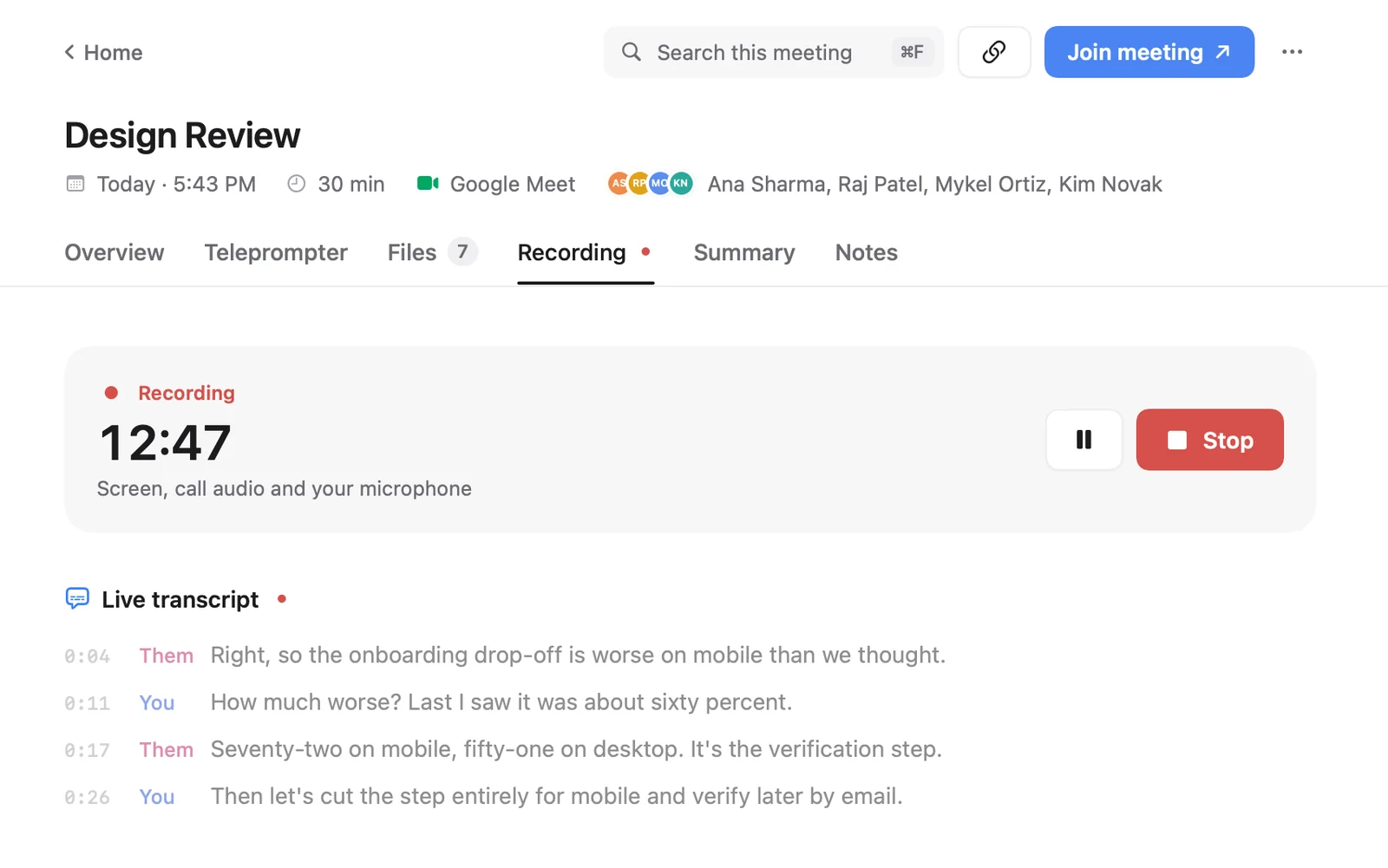
Meeting recorders for Mac, side by side
| Tool | Price | Cost over 2 years | Records | Other people's voices | Needs the host | Starts by itself | Transcript and summary |
|---|---|---|---|---|---|---|---|
| Cued | $9 founding, then $29, one-time, no subscription | $9–$29 once | Screen + both sides of audio | Yes | No | Yes, when a call starts | Yes, on your Mac |
| Zoom / Meet / Teams Record button | Depends on your plan | Part of the plan | The meeting | Yes | Usually yes | Only with host or admin settings | Cloud features on paid plans |
| Mac Screenshot app (⇧⌘5) / QuickTime | Free | $0 | Screen + microphone; system audio on macOS 27+ | Only on macOS 27+ (Include System Audio) | No | No | No |
| OBS Studio | Free, open source | $0 | Screen + app or desktop audio (after setup) | Yes, with the macOS Audio Capture source | No | No | No |
| Audio Hijack | $69 one-time | $69 once | Audio from any app and microphones | Yes | No | With timers you set | Transcription on your Mac; no summary |
| MacWhisper Pro | €64 one-time, lifetime updates | €64 once | Meeting audio | Yes | No | Yes, detects meeting start and end | Transcript on your Mac; summaries with local models or your own API key |
| Granola | Free (30-day history); Business $14/user/month | $0 or about $336 | Nothing kept: notes only | Transcribed, not saved | No | No, you start a note | Yes, in the cloud |
Which meeting recorder should you pick?
- You host the meeting and only need a file: the call app's own Record button.
- You need the video, free, and don't mind setup: OBS.
- You only need audio and a transcript: Audio Hijack or MacWhisper.
- You want every call recorded with no clicks, and a transcript, summary and follow-up afterwards, all on your Mac and without a subscription: Cued.
- You don't want a recording at all, just notes: Granola.
Troubleshooting: missing audio, black screens and a greyed-out Record button
Most failed meeting recordings on a Mac come from one of four problems. Here is how to spot and fix each one.
- Only your voice is in the recording. The Screenshot app and QuickTime record a microphone, so they pick up you but not the sound coming out of the Mac. On macOS 27 or later, open the Screenshot toolbar (⇧⌘5), click Options and choose Include System Audio. On earlier versions, use a tool that captures app or system audio: OBS with its macOS Audio Capture source, Audio Hijack, MacWhisper or Cued.
- The video is black or the app can't record. The app has no permission to record the screen. Open Apple menu > System Settings > Privacy & Security > Screen & System Audio Recording and turn on the app. You can allow screen and audio, or audio only. If it still fails, quit and reopen the app.
- Nobody can hear you in the recording. Check that the app is allowed to use the microphone in System Settings > Privacy & Security > Microphone, and that the right microphone is picked in the recorder's own settings.
- Zoom's Record button is greyed out or missing. Zoom lets hosts record, and participants only with the host's permission or if an admin allows it. Ask the host, or use a tool that records through your Mac and ask everyone's consent.
Cued needs the same two permissions, Screen & System Audio Recording and Microphone. If a Cued recording comes out silent or black, check those two places in System Settings first.
Is there a meeting recorder for Mac without a subscription?
Yes. OBS and the Mac's own screen recorder are free. Audio Hijack ($69), MacWhisper Pro (€64) and Cued ($9 for the first 50 founding members, then $29 with a year of updates) are one-time purchases. Fathom and Granola have free plans and charge monthly for more. Over two years a $14–$16 monthly plan costs $336–$384, so a pay-once app costs less if you record calls every week.
Do you need permission to record a meeting?
Often, yes. In the US, federal law and most states allow recording if one person on the call agrees, but about 11 states, including California, Florida, Illinois and Pennsylvania, require everyone's consent. When a call crosses state lines, the Reporters Committee for Freedom of the Press advises assuming the stricter rule, and recording each person saying yes. Tools that record through your Mac, like Cued, OBS or Audio Hijack, don't announce themselves, so telling people is your job. This isn't legal advice.
Questions
Can I record a Zoom call on Mac without the host's permission?
Zoom's own button needs the host's permission unless you are the host or an admin allows it. Tools that record through the Mac, like OBS, Audio Hijack, MacWhisper or Cued, don't go through Zoom. You should still ask everyone's consent.
Why is there no sound from the other people in my Mac screen recording?
The Screenshot app and QuickTime record your microphone, not the sound coming out of the Mac. On macOS 27 or later, turn on Options > Include System Audio. Otherwise use a tool that captures app or system audio, such as OBS, Audio Hijack or Cued.
How do I give an app permission to record my screen on Mac?
Apple menu > System Settings > Privacy & Security > Screen & System Audio Recording, then turn on the app. You can allow screen and audio, or audio only.
What is the best free meeting recorder for Mac?
OBS Studio, if you can spend time on setup. The call app's own Record button is free too, but usually needs the host's permission.
Is there a meeting recorder for Mac without a subscription?
Yes. OBS is free, and Audio Hijack, MacWhisper Pro and Cued are one-time purchases.
How much does Cued cost?
Cued is a one-time purchase with no subscription: $9 for the first 50 founding members, then $29 with a year of updates. Download it from getcued.pro and pay inside the app after a quick setup.
Try Cued on your next call. Your script in the notch, your call recorded and summarised on your Mac.
Download for MacSources
- How to record the screen on your Mac, Apple Support
- Control access to screen and system audio recording on Mac, Apple Support
- Enabling and starting local recordings, Zoom Support
- macOS Desktop Audio Capture Guide, OBS
- OBS Studio
- Audio Hijack
- Audio Hijack manual: Schedule tab and timers, Rogue Amoeba
- Buy Audio Hijack (read 16 Oct 2026)
- MacWhisper (pricing and features)
- Fathom pricing (read 16 Oct 2026)
- Granola pricing (read 16 Oct 2026)
- How transcription works, Granola Help Center
- Reporters' Recording Guide, Reporters Committee for Freedom of the Press
Related guides
- How to record a Zoom meeting on a Mac
- How to record a Google Meet call on a Mac
- How to record a Microsoft Teams meeting on a Mac
- Meeting recorder for Mac: how to record Zoom, Google Meet and Teams calls
- The best AI note takers for Mac in 2026, compared
- The best Mac meeting apps you pay for once (no subscription)