 Cued
Cued
How to record a Google Meet call on a Mac
By Harshit Maurya, maker of Cued · Updated 16 October 2026
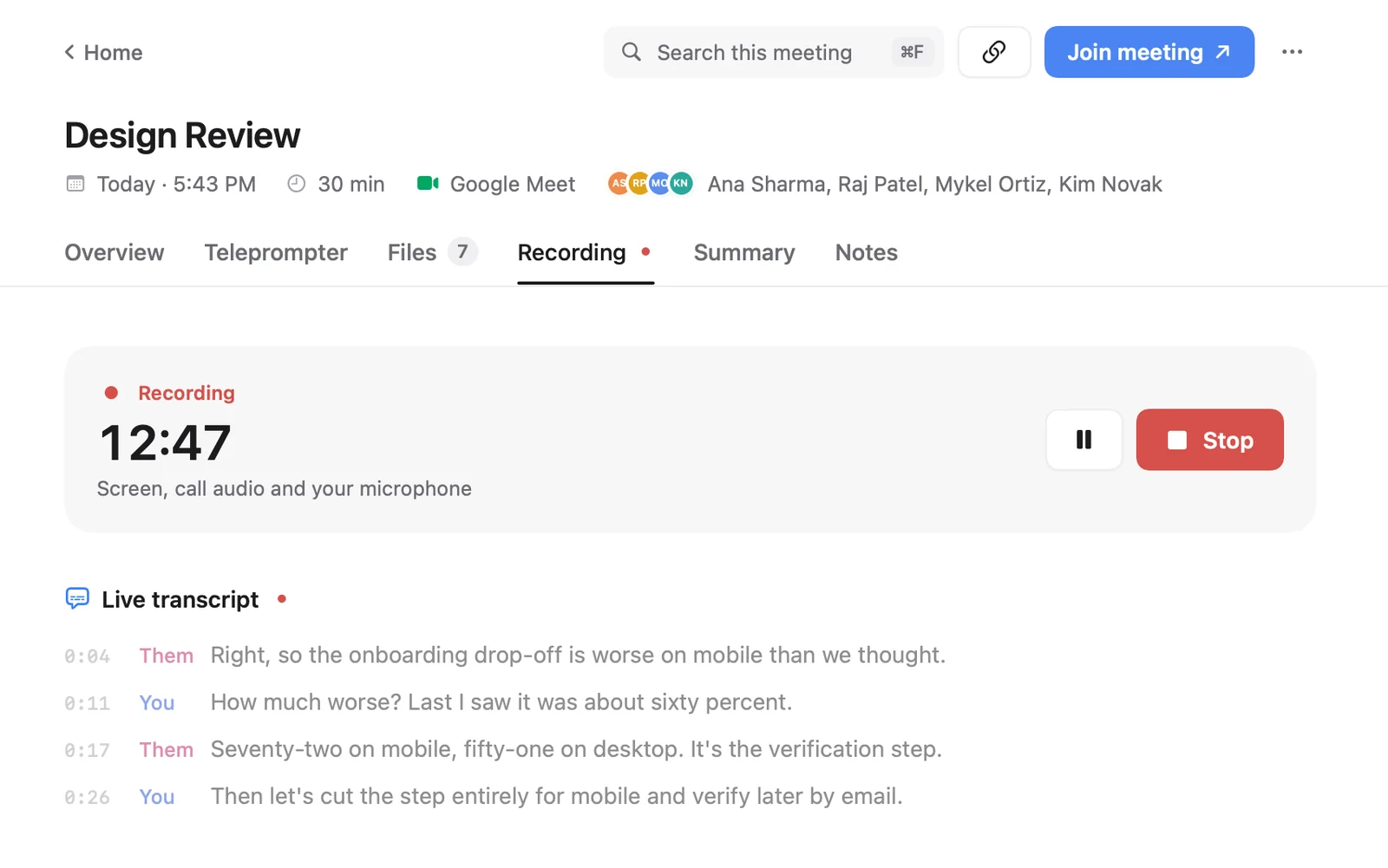
Google Meet's Record button is only on certain paid Google Workspace editions, Workspace Individual, and Google One plans with 2 TB or more, and an admin has to allow it. A free Google account cannot record Meet. On a Mac you can record any Meet call with an app that captures the Mac's screen and sound. Cued starts recording when a Meet call starts in your browser and transcribes both sides on your Mac.
Which Google accounts can record in Meet
Google's help page lists these plans. A Workspace admin also has to turn recording on for your account.
- Business Standard, Business Plus and Essentials
- Enterprise Starter, Enterprise Standard, Enterprise Plus and Enterprise Essentials
- Education Plus (staff licence) and the Teaching and Learning Upgrade
- Workspace Individual
- Google One with 2 TB of storage or more
Not on the list: free Gmail accounts and Business Starter. Education Fundamentals and Standard accounts cannot record meetings they organise.
Who in the meeting can press Record
- The host, if their plan allows recording. If the host can't record, nobody in the meeting can, even people whose own plan allows it.
- People in the host's organisation, when Host management is off. With Host management on, only the host and co-hosts can.
- A guest from outside the organisation only if the host makes them a co-host.
- Not someone who joined only to present a screen, and not in breakout rooms.
How to use Meet's own recording
- Join on a computer. Google says you can only record on a computer or an Android device, so not from the iPhone or iPad app.
- Open the activities panel. In the meeting, click Activities, then Recording.
- Start recording. Click Start recording. Everyone in the call is told it is being recorded.
- Find the file. Stop the recording or end the call. The organiser and the person who started it get an email with the link once Google has processed it.
Recordings stop by themselves after eight hours, or when everyone leaves. Supported plans can also turn on Meet's Transcripts, which saves a Google Doc to the organiser's Drive; a Transcripts icon shows for everyone while it runs.
Ways to record Meet on a Mac, compared
| Meet's Record button | Mac screen recorder (⇧⌘5 / QuickTime) | Cued | |
|---|---|---|---|
| Works on a free Google account | No | Yes | Yes |
| Cost | A paid Workspace or Google One 2 TB plan | Free, built in | One-time, no subscription |
| Others are notified | Yes | No | No; tell them yourself |
| Records other people's voices | Yes | Only ⇧⌘5 on macOS 27 or later, with Include System Audio | Yes |
| Transcript | Separate Transcripts feature on supported plans | No | Yes, live, on your Mac |
| Where the file goes | Organiser's Google Drive | Desktop, by default | Cued's folder on your Mac |
Recording Meet on a Mac without Meet's Record button
The Mac's own screen recorder (⇧⌘5) and QuickTime record the picture and your microphone. On macOS 27 or later, ⇧⌘5 has an Include System Audio option that adds the call's sound. On older versions, and in QuickTime, the sound coming out of the Mac isn't recorded, so the other people's voices are missing. Cued records the whole call through the Mac: screen, the call's audio and your microphone, with a live transcript, then writes the summary and a follow-up email. It works with any Google account, and the recording stays on your Mac instead of going to Drive. It is a one-time purchase, not a subscription.
Cued needs a Mac with Apple silicon and macOS 15 or later, and is designed for MacBooks with a notch.
Record button missing or greyed out?
- Your plan doesn't include recording, or your admin has switched it off. Ask the admin to check Meet recording in the Google Admin console.
- The meeting's organiser can't record. Then nobody can, whatever your own plan allows.
- Google Drive is switched off for you, or you are not allowed to create Drive files.
- You are in a breakout room, or joined only to present. Join the video meeting first, then present.
- You are on a phone or tablet. Use Meet on a computer.
- Recording fails on a Mac: Google says to click Allow when Chrome asks for screen access, or add Chrome under Screen & System Audio Recording in System Settings → Privacy & Security.
Where are Google Meet recordings saved?
In the organiser's Google Drive, not the Drive of the person who pressed Record. Google's help pages describe a Google Meet folder with a sub-folder per meeting, and older recordings sit in a Meet Recordings folder in My Drive. The link is also emailed to the organiser and to whoever started the recording, and added to the Calendar event. Recordings aren't ready the moment the call ends: Drive shows Still processing until they are, though you can download the file and play it straight away.
Do other people know you are recording?
With Meet's own recording, yes: everyone in the call is told when recording starts and stops, including people outside the organisation and on phones. Meet's Transcripts feature shows an icon to everyone too.
Cued records through your Mac, not through the call app, and no bot joins, so nobody in the call is notified automatically. Telling people is your job.
In the US, most states let you record a call you are part of (one-party consent), but 11 states, including California, Florida, Illinois, Maryland, Massachusetts, Pennsylvania and Washington, require everyone's consent. When people join from different states, follow the stricter rule. The simplest habit is to ask at the start, so the yes is on the recording. This isn't legal advice.
Questions
Can I record Google Meet on a free Google account?
Not with Meet's own button. You can record the call on your Mac with an app such as Cued.
Can a guest record a Google Meet call?
Not with Meet's button, unless the host makes them a co-host. A guest can record on their own Mac with an app such as Cued, after asking everyone's consent.
Does Cued work with Meet in Chrome, Safari or Arc?
Yes. Cued notices Google Meet calls in Safari, Chrome, Arc, Brave, Edge, Vivaldi, Opera and Chromium and starts recording on its own; macOS asks once to let Cued see the browser's tab. ⌥R records any call by hand.
Do other people see that Cued is recording?
No bot joins, so nothing appears in the call. That is why you should tell people yourself.
How long can a Meet recording be?
Meet stops recording after eight hours. Cued has no separate limit beyond free space on your Mac.
How much does Cued cost?
Cued is a one-time purchase: $9 for the first 50 founding members, then $29 with a year of updates. Download it from getcued.pro and pay inside the app after a quick setup.
Try Cued on your next call. Your script in the notch, your call recorded and summarised on your Mac.
Download for Mac