 Cued
Cued
The best Mac meeting apps you pay for once (no subscription)
By Harshit Maurya, maker of Cued · Updated 16 October 2026
You can run your whole meeting day on a Mac without a subscription. For talking points, Notchie ($29.99), Moody ($39) and CueNotch Pro ($29.99 lifetime) are one-time notch teleprompters. For recording and notes, MacWhisper Pro, Talat and Audio Hijack are one-time, and Meetily, Anarlog and OBS are free. For joining calls, Dato ($18) and MeetingBar (free) work from the menu bar. Cued puts a notch teleprompter, call recorder and on-device AI notes in one app for $29, then $29.
The list
| App | What it does | Price model | Bot joins the call | Where data stays |
|---|---|---|---|---|
| Cued | Notch teleprompter, call recorder, on-device transcript and summary, calendar | One-time: $9 founding (first 50), then $29 | No | On your Mac |
| Notchie | Notch teleprompter that moves as you talk; hidden from screen sharing | $29.99 one-time (Mac App Store) | Not a recorder | Not stated |
| Moody | Notch teleprompter with speed control and shortcuts | $39 one-time | Not a recorder | On your Mac, says the seller |
| CueNotch | Notch teleprompter that follows your voice; Ghost Mode hides it from shared screens | Free (3 starts a day, 100-word scripts); Pro $29.99 lifetime or $7.99 a week | Not a recorder | Not stated |
| Textream | Teleprompter overlay with word tracking; can hide from recordings | Free, open source (MIT) | Not a recorder | Open source |
| MacWhisper | Transcription; detects meetings and offers to record (beta) | Free version; Pro €65 one-time | No | On your Mac |
| Talat | Meeting transcription and summaries | $189 lifetime, or $89 a year | No | On your computer by default |
| Audio Hijack | Records audio from any app; can transcribe | $69 one-time; major upgrades paid | No | On your Mac |
| OBS Studio | Screen and audio recording | Free, open source | No | On your Mac |
| Meetily Community | AI note taker: transcript and summary | Free, open source (MIT) | No | On your device |
| Anarlog | AI meeting notepad | Free, open source (MIT) | No | Local database on your device |
| Apple Notes | Records and transcribes audio in a note (M1 or later) | Free, built in | No | On your Mac |
| Dato | Menu bar calendar; join the next call with a shortcut; full-screen meeting alerts | $18 one-time | Not a recorder | Reads the Mac Calendar app |
| MeetingBar | Shows your next meeting in the menu bar; one-click join | Free, open source (Apache 2.0) | Not a recorder | Not stated |
| Itsycal | Tiny menu bar calendar | Free | Not a recorder | Reads the Mac Calendar app |
| CleanShot X | Screenshots and screen recording | $35 one-time with a year of updates; optional $19 a year renewal | Not a call recorder | On your Mac; cloud is a separate plan |
Teleprompters: read your points without looking away
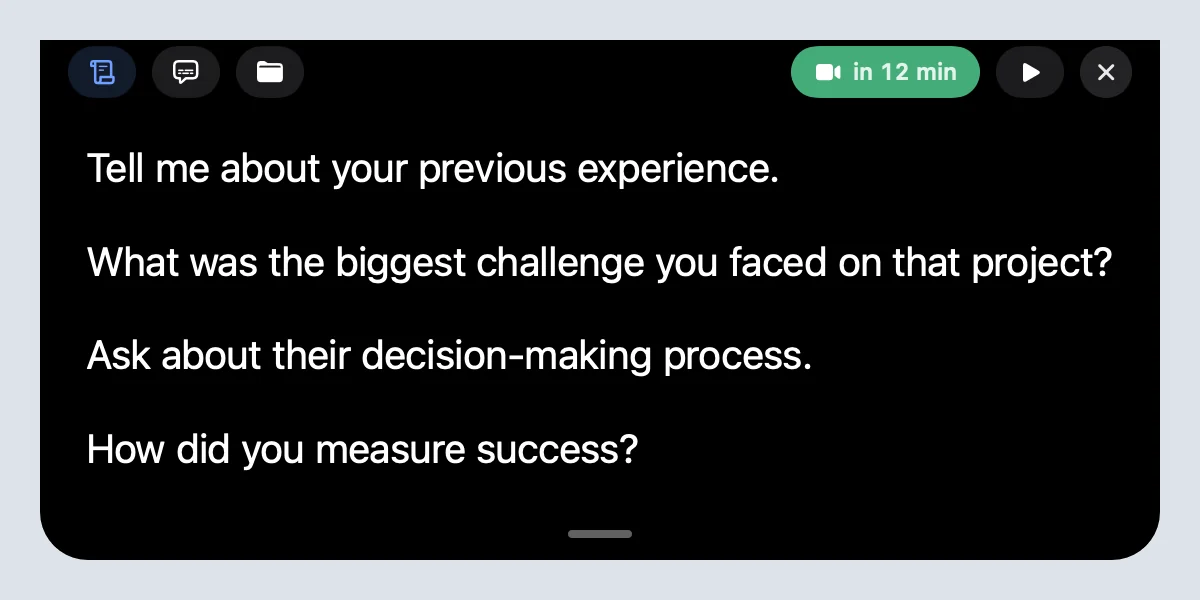
A notch teleprompter puts your script at the top of the MacBook screen, right under the camera, so your eyes stay near the lens. Notchie and CueNotch follow your voice, which suits reading a written script for a video. Moody scrolls at a speed you set and is a one-time $39. Textream is free and open source and works on macOS 15 or later. CueNotch's free tier is limited to three starts a day; its lifetime Pro is the one-time option, and it also sells a weekly plan, so pick the lifetime one if you want to pay once.
Cued's teleprompter is different in one way: your points belong to each calendar meeting, together with its files and links, and they scroll at three speeds and pause when you point at them. It does not follow your voice.
Recorders and AI note takers: keep the call without a bot
Every recorder on this list captures the call on your Mac, so nothing joins the meeting and nothing is announced. That also means you should tell people you are recording.
- Want only the audio, routed exactly how you like? Audio Hijack is $69 once and can transcribe on your Mac.
- Want a transcript of meetings and files? MacWhisper Pro is €65 once; its meeting detection is in beta.
- Want a transcript and summary built in? Talat ($189 lifetime) or Cued ($9 founding, then $29).
- Want free and open source? Meetily Community or Anarlog. Summaries stay local only if you use a local model.
- Want the screen as well as the audio? OBS is free but needs setup; Cued records the screen and both sides of the audio when a call starts.
Calendar helpers: join on time
Dato ($18 once) shows your events in the menu bar, can show a full-screen alert when a meeting starts, and joins the next Zoom, Google Meet or Teams call with a keyboard shortcut. MeetingBar is free and open source and shows your next meeting with a one-click join. Itsycal is a free, tiny menu bar calendar. Cued shows your day from Google Calendar and Mac Calendar and reminds you with a Join button about two minutes before each call.
What does one payment actually include?
One-time does not always mean the same thing. Read the update terms before you buy.
| App | What one payment includes |
|---|---|
| Cued | Founding ($9): every future update. Standard ($29): a year of updates, then keeps working |
| MacWhisper Pro | All current and future updates, says the listing |
| Dato | A lifetime of updates, says the developer |
| Talat (lifetime) | Every update included, says its site |
| CleanShot X | One year of updates; renewal optional at $19 a year |
| Audio Hijack | The current version; major upgrades are paid |
How to build a pay-once meeting setup on a Mac
- Pick how you join calls. Use Dato or MeetingBar for a menu bar join button, or Cued if you also want the meeting's notes and files in one place.
- Pick how you read your points. Choose a notch teleprompter: Notchie, Moody or CueNotch Pro for scripts, Textream for free, or Cued for per-meeting talking points.
- Pick how you keep the call. Choose an on-device recorder: Audio Hijack for audio, MacWhisper or Talat for transcripts, Meetily or Anarlog for free notes, or Cued for screen, audio, transcript and summary together.
- Check requirements. Confirm your macOS version and chip, then test with real calls.
- Tell people you record. No bot means no automatic notice. Say it at the start of the call.
What we left out
Otter, Fireflies, Fathom, Granola AI, Krisp and tl;dv are popular and capable, but their paid plans are monthly or yearly, so they don't fit this list. Their free plans are worth a look if you are happy with cloud processing; our AI note taker comparison covers them.
Questions
What is the best meeting app for Mac with no subscription?
It depends on the job. For a teleprompter: Notchie, Moody or CueNotch Pro. For transcripts: MacWhisper Pro or Talat. For free notes: Meetily or Anarlog. For joining calls: Dato or MeetingBar. Cued combines a notch teleprompter, recorder and on-device notes in one one-time app.
Is there a free notch teleprompter for Mac?
Yes. Textream is free and open source, and CueNotch has a limited free tier of three starts a day.
Which one-time Mac apps record meetings without a bot?
Cued, MacWhisper, Talat and Audio Hijack are one-time purchases that capture the call on your Mac. Meetily, Anarlog and OBS do the same for free.
Do one-time apps get updates?
Some include every future update (MacWhisper, Dato, Cued's founding licence), some include a year (CleanShot X, Cued's $29 licence, which keeps working after), and some charge for major versions (Audio Hijack).
How much does Cued cost?
Cued is a one-time purchase. The first 50 founding members pay $9 and get every future update. After that Cued is $29 with a year of updates, and it keeps working after that year. One licence works on one Mac at a time and moves when you switch Macs.
Try Cued on your next call. Your script in the notch, your call recorded and summarised on your Mac.
Download for MacSources
- Notchie on the Mac App Store
- Moody on Payhip
- CueNotch on the Mac App Store
- Textream on GitHub
- MacWhisper on Gumroad (Good Snooze)
- Record meetings, MacWhisper help
- Talat
- Audio Hijack, buy page, Rogue Amoeba
- OBS Studio
- Meetily on GitHub
- Anarlog on GitHub
- Record and transcribe audio in Notes on Mac, Apple Support
- Dato, Sindre Sorhus
- MeetingBar on GitHub
- Itsycal, Mowglii
- CleanShot X pricing