 Cued
Cued
AI note takers without a subscription (one-time purchase), 2026
By Harshit Maurya, maker of Cued · Updated 16 October 2026
Yes, you can get an AI note taker without a monthly fee. On the Mac, MacWhisper Pro (€65), Talat ($189 lifetime) and Cued ($9 for founding members, then $29) are one-time purchases, and Meetily and Anarlog are free and open source. All five work without a bot joining the call. On monthly billing, Otter, Fireflies, Fathom, Granola AI and Krisp cost $336 to $480 per person over two years.
Which AI note takers can you buy once or use free?
Seven apps record or transcribe meetings on a Mac without asking for a monthly payment. Three are one-time AI note takers, one is a one-time audio recorder that can transcribe, two are free and open source, and one is built into macOS. None of them sends a bot into your call: they capture the audio on your computer.
| App | Price | What one payment covers | Bot joins the call | Where transcription runs | Platforms |
|---|---|---|---|---|---|
| Cued | $9 founding (first 50), then $29, one-time | Founding: every future update. $29: a year of updates, keeps working after | No | On your Mac; summaries too | macOS 15+, Apple silicon |
| MacWhisper Pro | €65 one-time (Gumroad); free version too | All current and future updates, says the listing | No; detects meetings and offers to record (beta) | On your Mac | macOS |
| Talat | $189 lifetime, or $89 a year | Every update included; 30-day money-back | No | On your computer; summaries with a built-in model | macOS 15+ (Apple silicon), Windows 10+ |
| Audio Hijack | $69 one-time | The current version; major upgrades are paid ($29 from version 3 to 4) | No | On your Mac (Transcribe block) | macOS |
| Meetily Community | Free, open source (MIT) | Everything in Community; Pro is $10/user/month billed yearly | No | On your device; summaries local only with Ollama | macOS, Windows |
| Anarlog (was Hyprnote, then Char) | Free, open source (MIT) | Free plan; Pro is $14/month or $140/year | No | On your device; AI with your own keys or local models | macOS, Windows, Linux |
| Apple Notes | Free, built in | Comes with macOS | No | On your Mac (M1 or later); Apple Intelligence summaries | Mac |
Two notes on the table. MacWhisper's automatic meeting recording is marked beta in its own help page, which recommends recording by hand for critical meetings. Apple's guide describes recording audio in a note; it does not say Notes captures the other people's voices from a call app, so treat it as a tool for in-person notes and voice memos.
What do subscription note takers cost over two years?
A monthly note taker looks cheap per month and adds up over time. Here is the plain maths for one person on the most common paid plan of six popular apps: the monthly price times 24, and the yearly-billed price times 24.
| App and plan | Billed monthly | × 24 months | Billed yearly (per month) | × 24 months |
|---|---|---|---|---|
| Otter.ai Pro | $16.99 | $407.76 | $8.33 | $199.92 |
| Fireflies.ai Pro | $18 | $432 | $10 | $240 |
| Fathom Premium | $20 | $480 | $16 | $384 |
| Granola AI Business | $14 | $336 | Not shown | Not shown |
| Krisp Core | $16 | $384 | $8 | $192 |
| tl;dv Pro | €29 | €696 | €18 | €432 |
| Cued | None | $29 or $29 once | None | $29 or $29 once |
Two things make the gap bigger or smaller. Teams pay per seat, so a team of five multiplies every subscription row by five. On the other side, Otter, Fireflies, Fathom, Granola AI and tl;dv all have free plans, and if a free plan covers your meetings, it costs nothing at all. The subscriptions also include things a one-time Mac app doesn't, which the next section covers.
What do you give up with a one-time app?
You give up cloud features. A one-time, on-device note taker saves money and keeps your audio on your computer, but it is a different kind of tool from a cloud service. Be honest with yourself about which of these you need.
- Cloud sync and web access. Your notes live on one computer. You can't open them from a phone or a browser unless the app adds an optional cloud plan (Anarlog Pro and Meetily Pro do).
- Team features. Shared folders, comments, CRM sync and admin controls are what the business plans of Otter, Fireflies and Fathom sell. Mac one-time apps are mostly built for one person.
- Updates forever, sometimes. Policies differ: MacWhisper's listing says all future updates are included, Talat says every update is included, Audio Hijack charges for major upgrades, and Cued's $29 licence includes a year of updates and keeps working after.
- Older computers. On-device AI needs a recent machine. Talat and Cued need Apple silicon, and Cued needs macOS 15.
- Backups are yours. Recordings sit in the app's folder on your Mac, so they are as safe as your Time Machine or other backup.
- Telling people. With no bot in the call, nobody gets an automatic notice that you are recording. Ask for consent yourself; the rules differ by country and state.
How to choose an AI note taker you pay for once
- Decide where your audio may go. If calls must not leave your computer (clients, NDAs, health, legal), keep to apps that transcribe on the device: Cued, MacWhisper, Talat, Meetily or Anarlog with local models.
- Decide what you need saved. Only a transcript? MacWhisper or Audio Hijack. Transcript and summary? Talat, Meetily, Anarlog or Cued. The video of the call as well? Cued records the screen too.
- Read the update terms. Check whether one payment covers every future version, one year, or only the current major version, and whether the app keeps working when the update period ends.
- Check the requirements. Look at the macOS version and chip each app needs before you pay. Several on-device apps need Apple silicon.
- Test it on real calls. Record two or three real meetings in the first week. Talat has a 10-hour free trial and a 30-day money-back guarantee.
- Compare against two years of a subscription. Multiply the monthly price you would otherwise pay by 24 and compare.
Where Cued fits
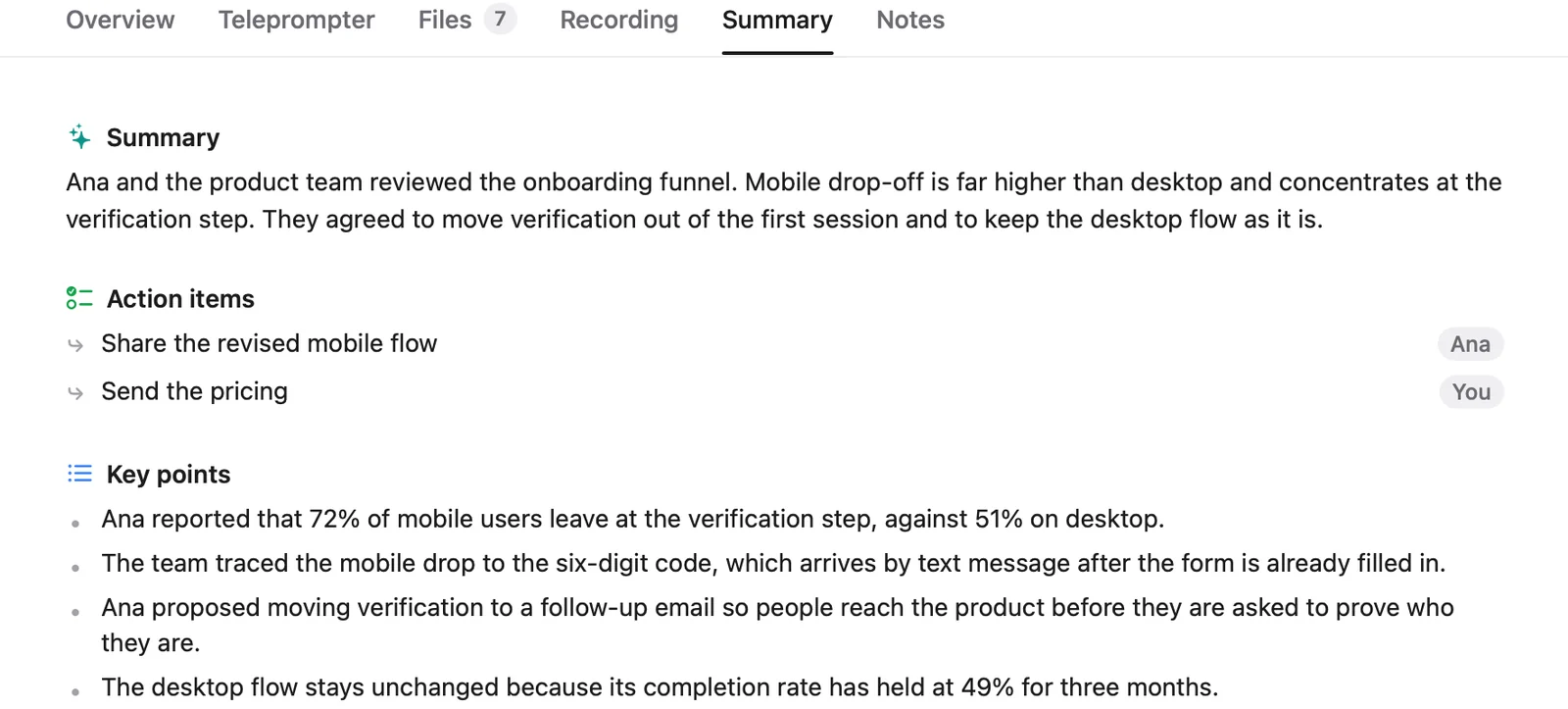
Cued is a meeting app for Mac with no subscription. It records Google Meet, Zoom, Microsoft Teams, FaceTime, Webex and Slack calls when they start, capturing the screen and both sides of the audio through the Mac itself, so no bot joins. It writes a live transcript on your Mac, then a summary with key points and action items, and a follow-up email you review and send. Your talking points sit in the MacBook notch during the call, hidden from screen sharing. Recording, transcription and summaries work offline and nothing is uploaded. Transcripts are good, not perfect: quiet, overlapping or noisy audio causes mistakes. It needs a Mac with Apple silicon and macOS 15 or later, and it has no team sharing or CRM sync.
Questions
Is there an AI note taker without a subscription?
Yes. MacWhisper Pro (€65), Talat ($189 lifetime) and Cued ($9 founding, then $29) are one-time purchases, and Meetily and Anarlog are free and open source. All of them transcribe on your computer and none sends a bot into the call.
Is a lifetime deal safe?
It is as safe as the company behind it. Before you pay, check that the app runs on your computer rather than on the seller's servers (an on-device app usually keeps working even if the company stops), read what updates are included. Be careful with lifetime deals on cloud services: the servers cost money every month, so the deal depends on the company staying in business.
Do one-time apps get updates?
It depends on the app. MacWhisper's listing says all future updates are included. Audio Hijack charges for major upgrades. Cued's founding licence includes every future update; the standard $29 licence includes a year of updates and keeps working after that year.
What is the cheapest AI note taker for Mac?
Meetily and Anarlog are free and open source, and Apple Notes is built in for voice notes. Among paid one-time apps, Cued's founding licence is $9 for the first 50 buyers.
Do free plans of Otter or Fireflies count as no subscription?
They cost nothing, so for light use they are a fair choice. They are cloud services, though: your audio is processed on their servers, so check what each free plan includes before you rely on it.
How much does Cued cost?
Cued is a one-time purchase. The first 50 founding members pay $9 and get every future update. After that Cued is $29 with a year of updates, and it keeps working after that year. One licence works on one Mac at a time and moves when you switch Macs.
Try Cued on your next call. Your script in the notch, your call recorded and summarised on your Mac.
Download for MacSources
- Otter.ai pricing
- Fireflies.ai pricing
- Fathom pricing
- Granola AI pricing
- Krisp pricing
- tl;dv pricing
- MacWhisper on Gumroad (Good Snooze)
- Record meetings, MacWhisper help
- Talat
- Audio Hijack, buy page, Rogue Amoeba
- Meetily pricing
- Meetily on GitHub
- Anarlog pricing
- Char is now Anarlog, Anarlog blog
- Anarlog on GitHub
- Record and transcribe audio in Notes on Mac, Apple Support
Related guides
- The best Mac meeting apps you pay for once (no subscription)
- The best AI note takers for Mac in 2026, compared
- The best private meeting notes apps for confidential calls
- AI note taker without a bot: how it works and which apps do it
- An Otter.ai alternative for Mac that stays on your device
- A Fireflies.ai alternative that keeps your calls on your Mac
- A Granola AI alternative with on-device transcription