 Cued
Cued
Best tools to manage client calls in 2026
By Harshit Maurya, maker of Cued · Updated 14 October 2026
No single tool covers everything a client relationship needs. If you send proposals, contracts and invoices, HoneyBook is built for that. If you want a simple contact list that updates itself from email, folk or HubSpot's free CRM fit. If you want notes from the calls themselves, Granola and Fathom write them for you, and Notion works well as one page per client. Cued is a Mac app that keeps each meeting's files and links together and records and summarises the call on your Mac, but it is not a CRM and does not handle invoices.
The problem these tools solve
Client work spreads out fast. The brief is in email, the files are in Drive, the feedback came on WhatsApp, and the promise you made was said out loud on a call. A week later you cannot remember what you agreed. Most people start a CRM to fix this, and the CRM fails because nobody has time to update it after every call.
So the useful question is not which tool has the most features. It is which tool keeps itself up to date with the least effort from you. Tools that sync from email, or that listen to the call and write the notes, tend to stay current. Tools that need you to type tend to go stale.
Side by side
| Tool | What it's for | Price | Keeps client files | Records or notes calls | Effort to keep updated | Platforms |
|---|---|---|---|---|---|---|
| Notion | A flexible workspace; many freelancers keep one page per client | Free; Plus $10, Business $20 per member a month (yearly billing saves up to 20%) | Yes, on each page | AI Meeting Notes transcribes and summarises; full use on Business, a limited trial on Free and Plus | High: you build and maintain the pages yourself | Web, desktop and mobile apps |
| HoneyBook | Client portal, proposals, contracts, invoices and payments for small businesses | From $29 a month billed yearly (Starter); Essentials $49, Premium $109; 30-day free trial | Yes, through the client portal; unlimited storage is listed | Lists an AI meeting notetaker; the pricing page does not make clear which plans include it | Medium: projects update as clients sign and pay | Web, iPhone, Android; sign-up is limited to certain countries (US, Canada, and per one prompt UK and Australia) |
| folk | A lightweight CRM for contacts and relationships | Standard $24 per member a month billed yearly ($30 monthly); 2-week free trial | Not its focus | Lists phone call recording, a recap assistant and voice notes | Low: email, calendar and WhatsApp sync on Standard and above | Web, desktop and mobile apps; Chrome and LinkedIn extensions |
| HubSpot CRM | A free CRM with contacts, deals and a meeting scheduler | Free for up to 2 users and 1,000 contacts; paid plans add more | Not its focus | Call recording is not mentioned on the free CRM page | Medium: email tracking helps, but deals and notes need updating | Web, iPhone, Android |
| Granola | AI meeting notes without a bot joining the call | Basic free; Business $14, Enterprise $35 per user a month | No | Yes, from your device's audio; audio is deleted after transcription | Low: notes are written during the call; Business sends notes to Attio, Notion, HubSpot and others | Desktop, iPhone, Android |
| Fathom | AI call recorder and summaries, popular in sales and customer success | Free plan; Premium $16 a month yearly ($20 monthly); CRM field sync on Business ($25 yearly, $34 monthly, 2-user minimum) | No | Yes, by a bot or bot-free (bot-free is a beta on Mac); keeps recordings | Low: summaries are automatic; HubSpot and Salesforce sync on higher plans | Works with Zoom, Google Meet and Microsoft Teams |
| Cued | A Mac app that prepares, records and summarises each calendar meeting | One-time $9 for the first 50 founding members, then $29 | Yes, per meeting; files are copied to a folder on your Mac, never uploaded | Yes, screen and both sides of the audio, no bot; transcribed on your Mac | Low: links in the invite are added automatically and each call is filed under its meeting | Mac only: Apple silicon, macOS 15 or later |
Which one should you pick?
- If you send proposals, contracts and invoices and want clients to log in to one portal: HoneyBook.
- If you mainly need to remember who you spoke to and when, without typing: folk, or HubSpot's free CRM if you are one or two people.
- If you like building your own system and want everything about a client on one page: Notion, ideally paired with a call notes tool.
- If you want good notes from every call and use Windows or a phone as well as a Mac: Granola or Fathom.
- If your team needs to share recordings and push call notes into a CRM: Fathom's Team or Business plans, or Granola Business.
- If you work alone on a Mac and want each client meeting's files, notes, recording and follow-up in one place that never leaves your laptop: Cued.
- A common setup that works: a CRM or HoneyBook for the money side, plus a call tool like Cued, Granola or Fathom for what was actually said.
Where Cued fits
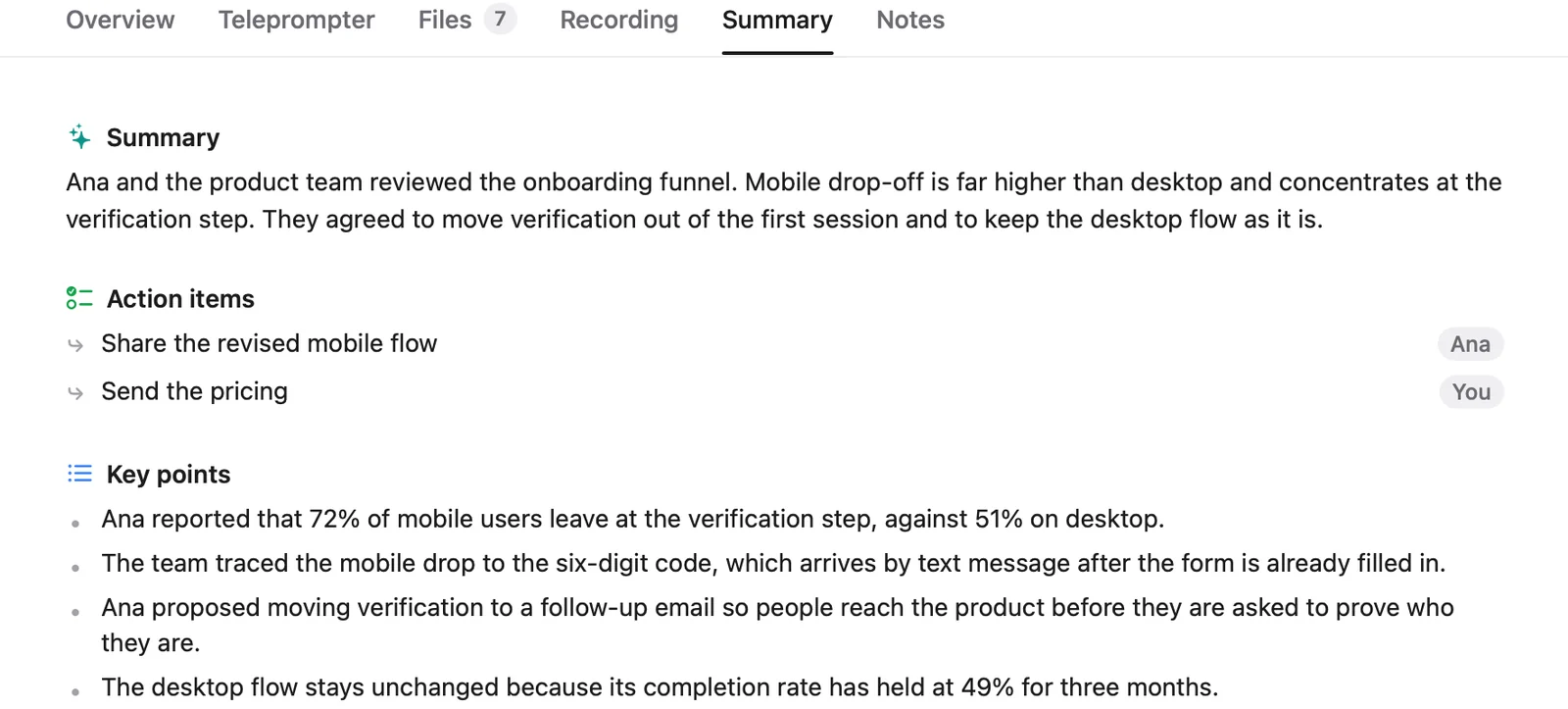
Cued gives every Google Calendar or Mac Calendar meeting a workspace for talking points, files and links, and pinned files show up in every meeting. It records Meet, Zoom, Teams, FaceTime, Webex and Slack calls with no bot, transcribes them on your Mac, and then writes a summary, action items with owners, decisions and a draft follow-up email that you send yourself. Press ⌘K to search every past call and open the recording at the moment something was said. Everything stays on your Mac; there is no Cued server. What it does not do: it is not a CRM, it does not track invoices, contracts or proposals, it does not sync to a CRM or share with a team, and it does not read your email, WhatsApp or Slack. It runs only on Apple silicon Macs with macOS 15 or later, and there is no free plan.
Questions
What is the easiest way to keep track of what a client said on a call?
Record and transcribe the call, then keep the summary next to the client's files. A notes tool such as Granola, Fathom or Cued does this automatically, so you are not relying on memory or typing during the call. Ask the client first if you plan to record.
Do freelancers need a CRM?
Only if you have enough clients that you lose track of who is where. Many freelancers do fine with one page per client in Notion plus a call notes tool. If you invoice and send contracts often, a client tool like HoneyBook saves more time than a plain CRM.
Can Cued replace HoneyBook or a CRM?
No. Cued handles meetings: preparing, recording, summarising and finding what was said. It has no client portal, invoices, contracts, pipeline or CRM sync. Use it alongside those tools.
How much does Cued cost?
Cued is a one-time purchase: $9 for the first 50 founding members, then $29 with a year of updates. Download it from getcued.pro and pay inside the app after a quick setup.
Try Cued on your next call. Your script in the notch, your call recorded and summarised on your Mac.
Download for Mac